I told Claude Code, “I want to build a tarot fortune-telling app.”
That was it. No spec doc, no design mockups. Just a vague feeling of “I want to make a fortune-telling app,” and I started a conversation.
Three days later, that app was running on a real device through Google Play’s internal testing track.
This article is the full record of what happened in those three days.
The Spark: “I Want to Build a Tarot App”
Up until now, I’d only built internal tools for my workplace. A lesson progress tracker, a travel expense system, a PDF splitter, a seating chart randomizer — all introduced in a previous post. Every single one started with “someone’s having trouble with this,” and the users were always my colleagues — teachers and office staff.
But I’d always wanted to ship something to the general public. I wanted to experience seeing my own app listed on Google Play.
So what should I build? When I thought about it, tarot fortune-telling came to mind naturally.
It started with a chance encounter at work. I happened to meet a teacher who could read tarot cards, and she offered to do a reading for me. Honestly, I was skeptical. But the card she drew spoke directly to what I’d been struggling with — it was uncanny. And when she said, “Here’s how you might approach today,” I felt something click. Suddenly, my otherwise routine day had a clear direction.
Not everyone believes in tarot. But for me at least, it gave me something I didn’t know I needed: a small nudge, a “try focusing on this today” moment in the middle of an ordinary day. It felt like something quietly standing beside you. I wanted to deliver that experience to more people through an app.
The Major Arcana has just 22 cards. Upright and reversed positions make 44 patterns. The content scope is finite — manageable for a solo developer. That sealed the decision.
When I pitched it to Claude Code, a design plan came back immediately. Cross-platform with React Native + Expo SDK 54, type-safe with TypeScript, tab navigation via Expo Router. For the visual direction, it suggested a mystical dark aesthetic inspired by the Astrologian class from Final Fantasy XIV — and that was exactly what I had in mind. Deep navy background (#0a0a1a), gold accents (#c9a84c). A world that feels serene and solemn.
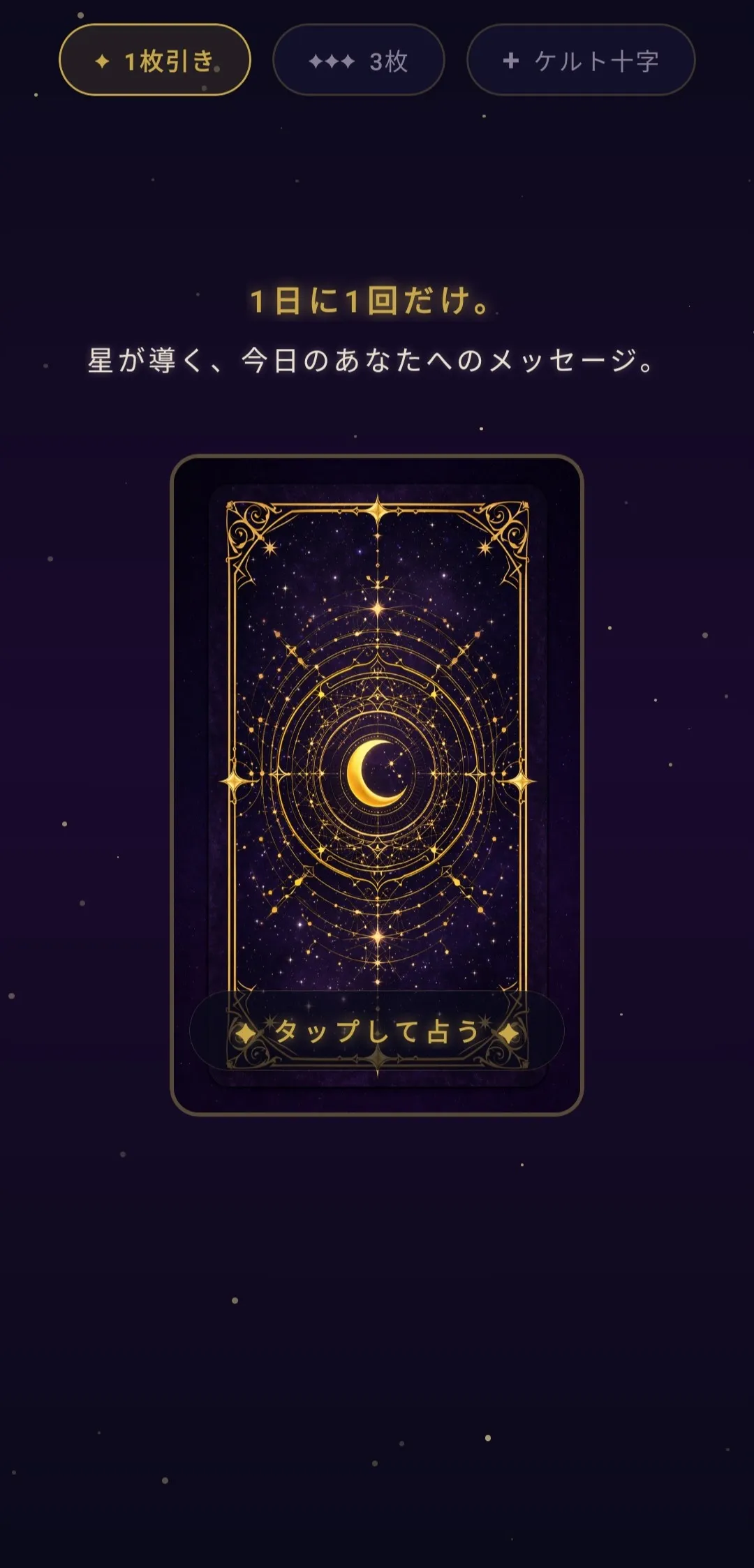
The “once per day” fortune limit came up naturally during our conversation. If you could draw anytime, it wouldn’t feel special. The card resets at midnight, and you get one draw per day as your daily fortune. A date-based seed determines the card, so opening the app multiple times on the same day always shows the same result.
Day 1: Building the Skeleton
Day one was all about foundations.
I generated the project with Expo SDK 54 + TypeScript + Expo Router and set up tab navigation across four screens: Fortune, History, Gallery, and Settings.
The first thing that came together was the starry sky background. Sixty star particles, each twinkling on its own independent timing. Against a dark navy gradient, tiny lights flickering on and off. That alone pulled the app’s atmosphere together.
Next came the card flip animation. Using React Native Reanimated, I built a 3D flip with perspective:1200 and an 800ms duration. The card back has gold decorations. Tap it, and it slowly flips to reveal the illustration and your fortune.
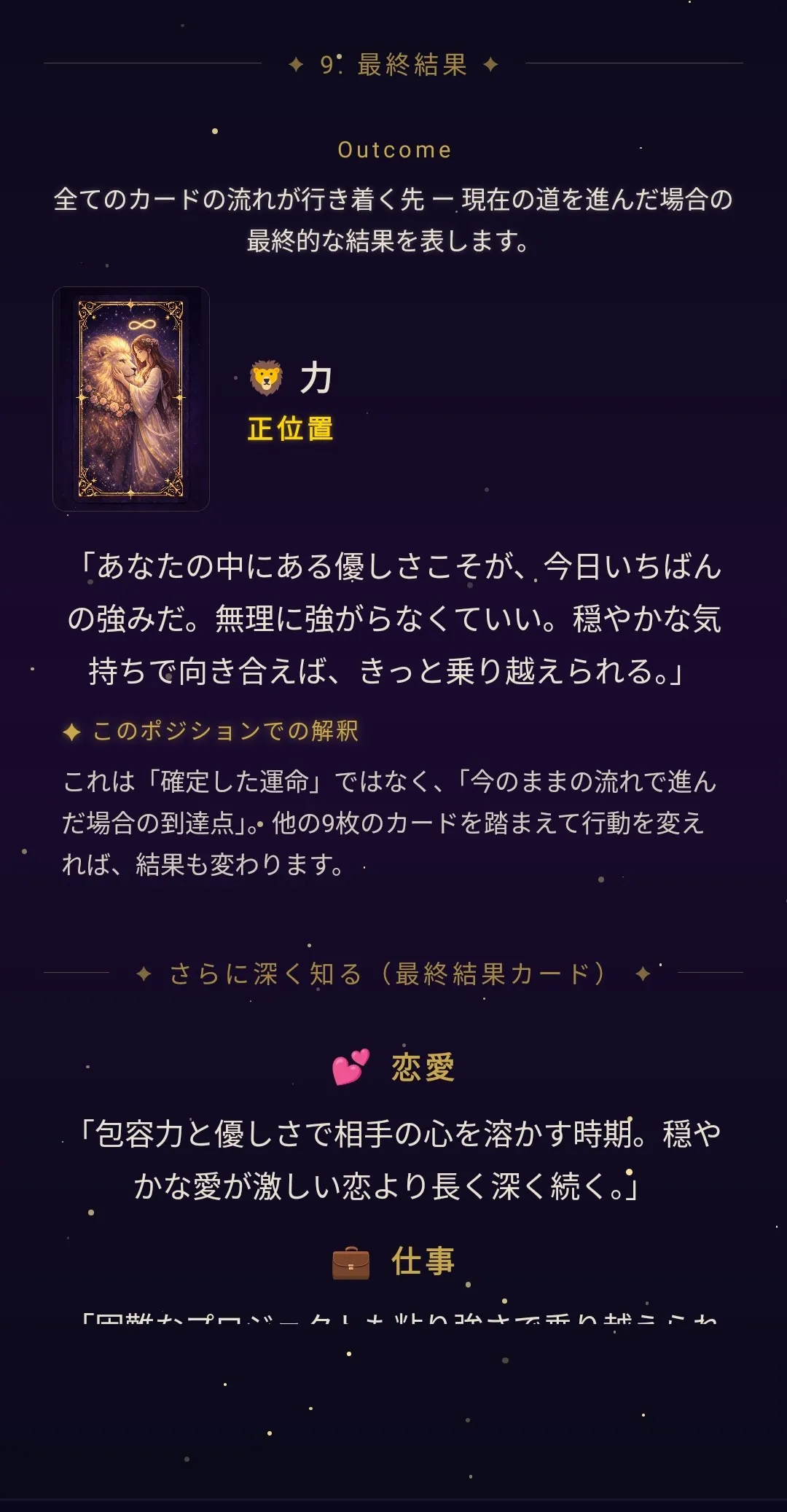
I also defined the data structure for all 22 Major Arcana cards on day one. Each card has upright and reversed main messages, a mythology motif, advice for four scenarios (morning, work, relationships, evening), and premium love/career advice. That’s 44 patterns total.
By the end of day one, the basic flow of drawing a card and seeing results was working.
Day 2: The Content Wall and Monetization Design
Day two went into mass-producing content and designing the monetization model.
Forty-four fortune result texts. That’s already a lot, but showing the exact same text every time the same card comes up felt stale. So I added three text variations for each. Main messages, four types of advice, premium love/career advice, and daily mottos (action guidelines) — all with three patterns each. Around 1,100 texts total. I generated all of them through conversation with Claude Code.
Monetization took more thought than expected. Claude Code and I went back and forth on this one.
Ads were the first thing I ruled out. Banner ads popping up in a mystical fortune-telling experience? That would kill the vibe. I considered subscriptions too, but a monthly fee for a tarot app felt too aggressive. In the end, I settled on one-time, non-consumable in-app purchases.
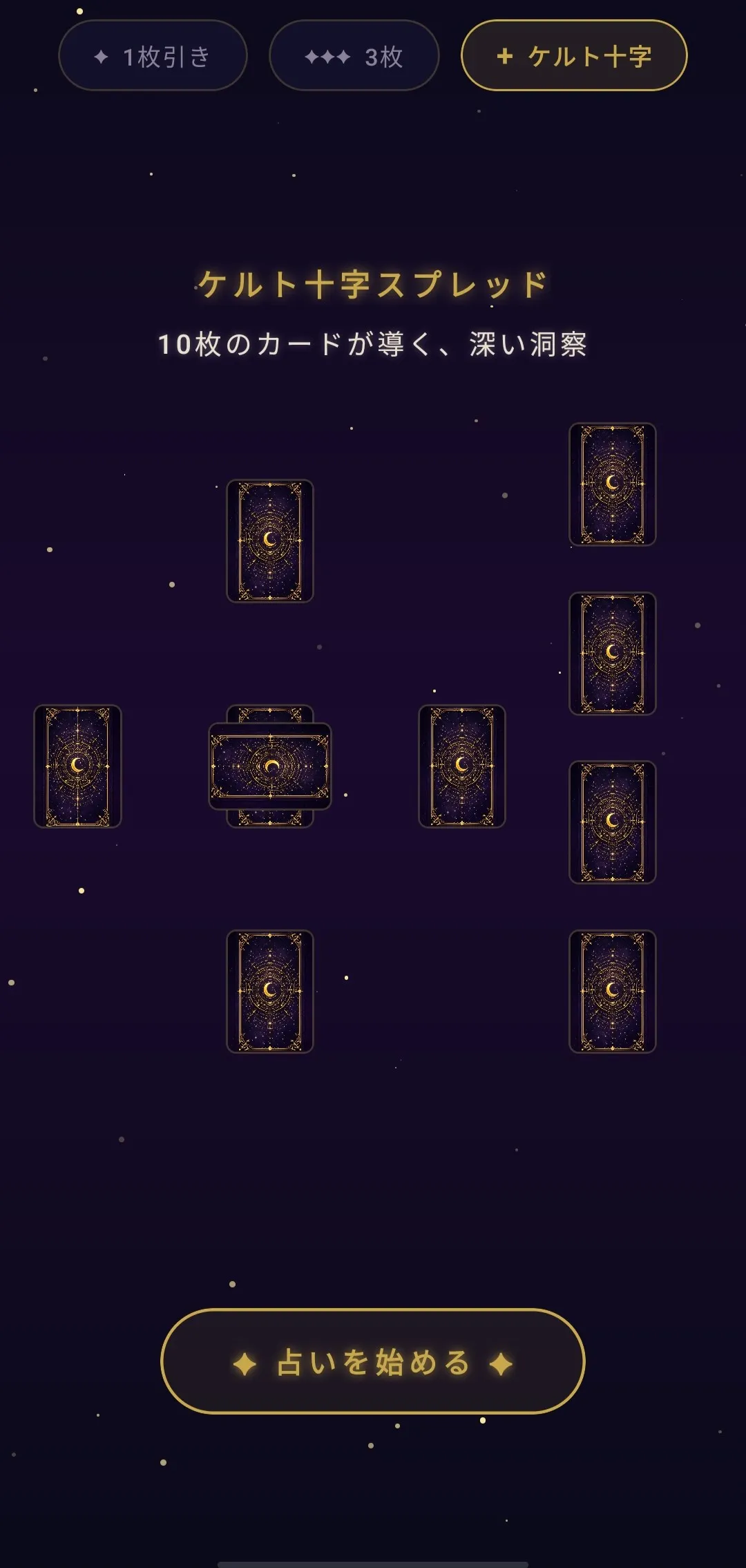
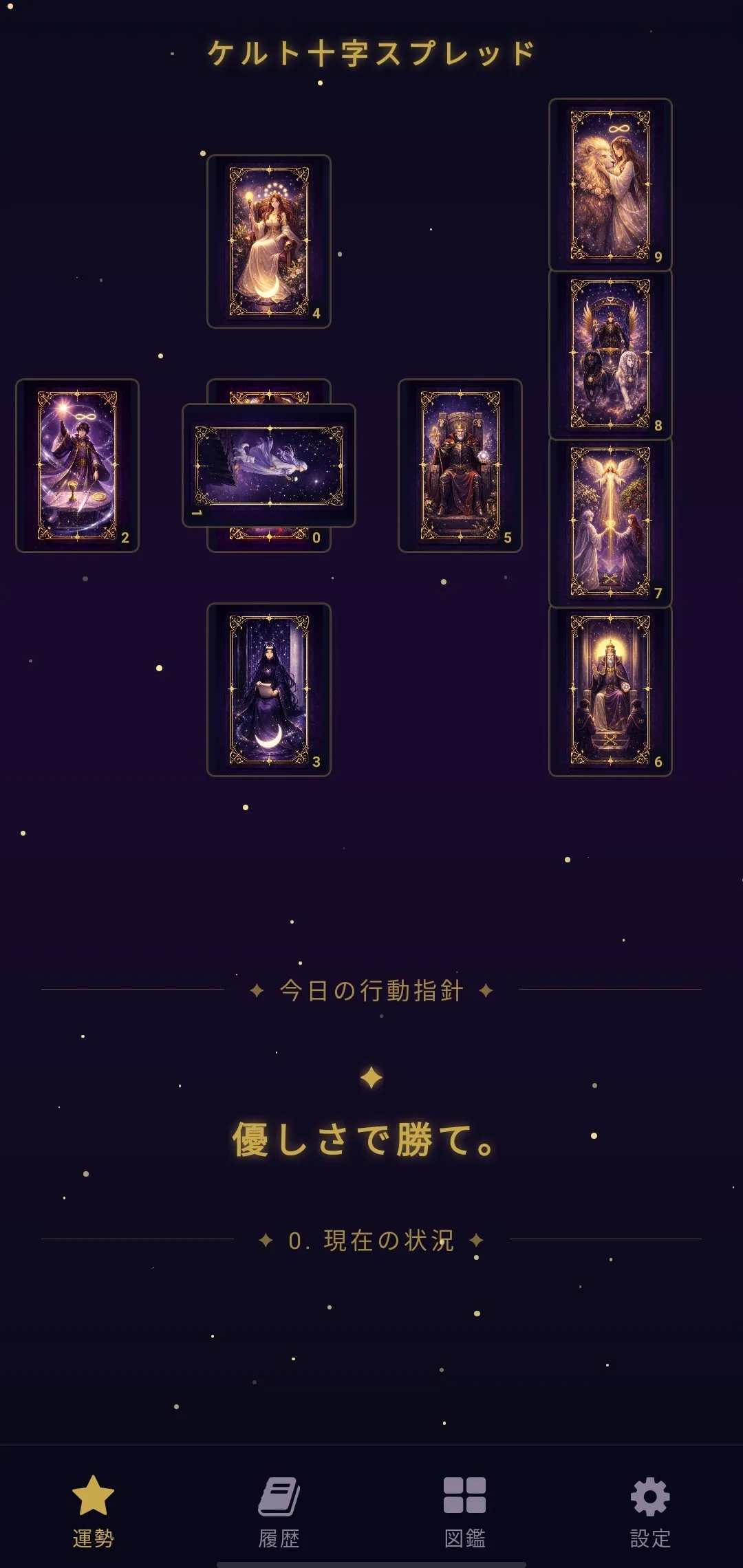
Four premium features: unlock love advice, unlock career advice, three-card spread, and Celtic Cross spread.
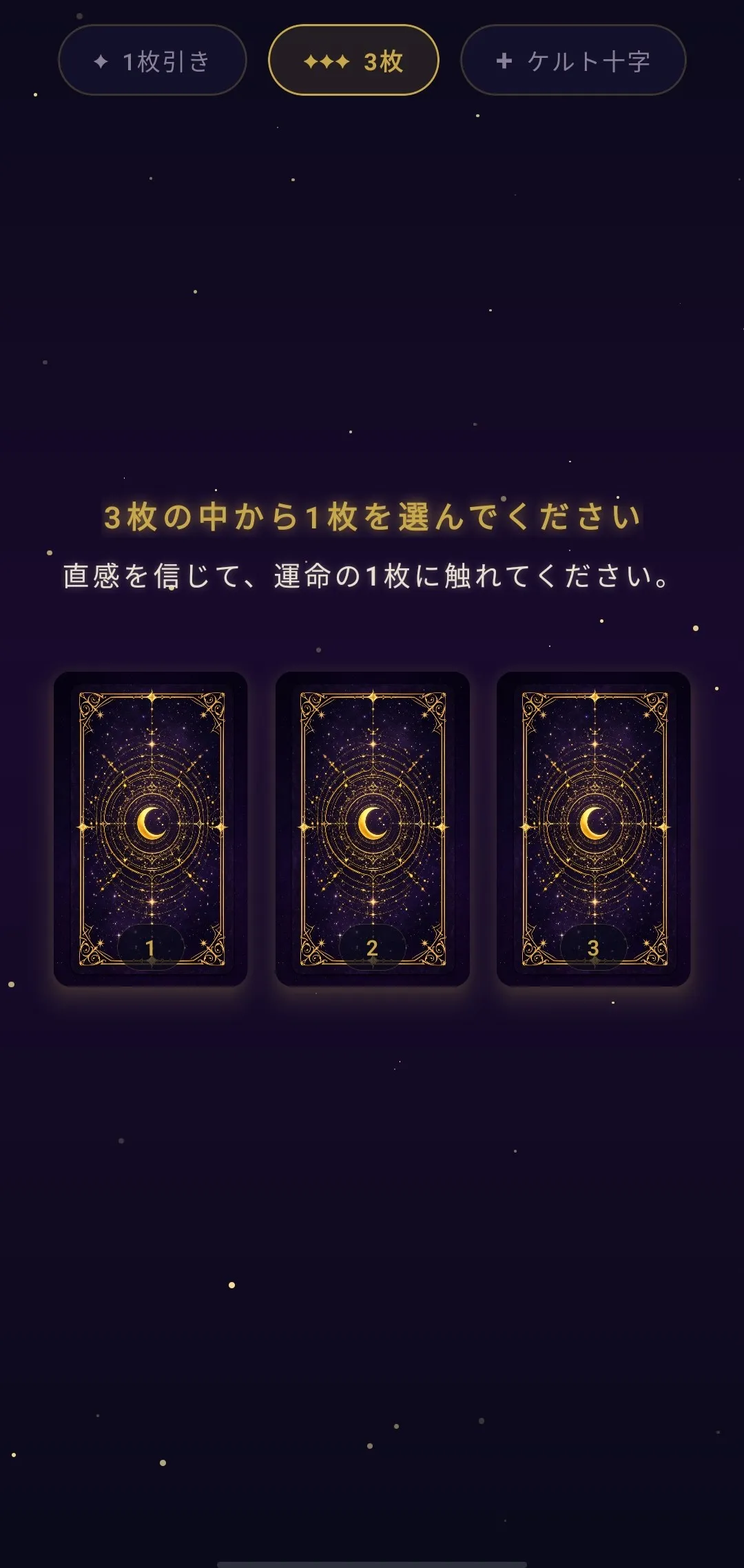
The three-card spread shows three cards face-down, and you pick one by intuition. The Celtic Cross is a full 10-card spread — auto-flipping begins 1.5 seconds in, with cards turning over every 500ms.
Behind the “3-Day Build” — Failures and Iterations
Reading up to here, you might think it all went smoothly. It didn’t. I lost count of how many times I launched the dev server, checked the screen on my phone, and thought “something’s off.” This is the honest part.
The starry background freeze. I added twinkling star particles to the background, and the app started freezing every time I switched tabs. I told Claude Code “it’s still stuttering,” “now the screen went black” — over and over, trying three completely different approaches before finally finding one that worked. I must have restarted the app dozens of times just to pin down the issue.
Card text placement. Where to display the card name (e.g., “-The MOON Moon-”)? First, I overlaid it on the card image. Hard to read. Then I tried a gradient overlay. Looked clunky. Then I separated the image and text areas. The balance was off. In the end, placing the text outside the card frame, above the image, was the answer. Four revisions. Each time, I’d launch the server, check the screen, think “nope, not quite,” tell Claude Code what to change, and try again.
Square images vs. tall card frames. The card artwork I prepared was square, but a tarot card frame naturally looks tall. On screen, the gaps were noticeable. I matched the background color to blend with the image edges. Not perfect, but after many rounds of tweaking, it landed in an acceptable place.
55 issues from code review. Early on day three, I had Claude Code review the code it had written. Result: 55 issues found — timezone bugs, payment glitches, things you’d only catch by actually running the app. Just because AI wrote the code doesn’t mean you can skip checking it.
Here’s what I want to be clear about: “just use AI and you can easily build an app” is not how it works. Maybe it’s different for people who can write precise requirements from the start. But for me, it was failure after failure. I kept launching a dev server I was barely familiar with, checking the results, telling Claude Code what felt wrong, and iterating. Dozens of rounds of back-and-forth to get to something I was actually happy with.
But that’s also where the real strength of AI-assisted development lies — the speed of that loop. Things I could never build alone gradually took shape through conversation. The more I obsessed over the details, the longer it took — but I didn’t want to compromise. I wanted to deliver something I was genuinely proud of.
Getting on Google Play — The Surprisingly Grueling Launch Process
Building the app and publishing it to the store are completely different jobs.
The moment I opened the Play Console dashboard, I was overwhelmed by the sheer number of fields. Store listing info, six screenshots, a feature graphic, content rating questionnaire, data safety declaration, target audience settings. Filling in each one is a totally different kind of effort from coding.
When I learned that a public privacy policy was required, I quickly set one up on GitHub Pages. I built the AAB file with EAS Build (Expo Application Services) and uploaded it to Play Console. When the internal test worked on a real device, the relief was real.
Then came the bombshell.
“Closed testing requires at least 12 testers to opt in.”
I did not see that coming. On top of that, 14 days of continuous testing is required. Meaning even after your app is done, you can’t publish to production right away. You need to wait at least two weeks.
Right now, I’m scrambling to recruit testers. Building an app and finding testers are completely different skills. Claude Code writes code for me, but asking friends “hey, can you be a tester?” is something only I can do.
Looking Back: What 3 Days with Claude Code Achieved
I got a working app to Google Play’s internal testing track. That’s a fact.
But “finished in 3 days” isn’t quite accurate. The app development took shape in three days, but launch prep took another day, and tester recruitment is still ongoing.
Claude Code’s real strength is the speed of shaping ideas through conversation — something I also felt when building the blog management team. Say “I want this,” and it takes shape. Say “that’s not quite right,” and it’s fixed immediately. Generating 1,100 texts, building animations, setting up in-app purchases — all done through conversation.
Still, there are parts that absolutely need a human. Recruiting testers. Final UI judgment (“does this layout look right?” — I decided that by looking at the screen). Defining the aesthetic direction (the Final Fantasy XIV Astrologian reference was in my head, not the AI’s). And post-launch marketing. Above all, deciding what this app should deliver — that was on me.
When that teacher drew a tarot card for me at work, an ordinary day suddenly had direction. I wanted to deliver that experience to more people through an app. That feeling is why I kept going — even when things didn’t click, even after dozens of rounds of back-and-forth, I refused to compromise.
Next up: production release after 14 days of closed testing. By the time this article goes live, things might have progressed a bit further.
The app is called Star Oracle. A message from the stars, just for you.
See ya!